
Call of Duty®: Mobile
Activision Publishing, Inc.Action
4.3811.18K Reviews
- Version
- 1.0.60
- Installs
- 100.00M
- Age Rating
- Mature 17+
Screenshots

Our Review of Call of Duty®: Mobile
 Analysis by Appyee
I enjoy action games that let me get straight into a match, but I also want to know what I’m committing to before I install one. Call of Duty®: Mobile is a free action shooter from Activision Publishing, Inc., and it brings the familiar first-person combat of the series to phones and tablets. Its appeal is easy to understand: quick competitive matches sit alongside larger battle royale play, giving me options for different moods and stretches of free time.
There is a practical distinction between being free to start and having no spending options. The game can be downloaded without an upfront price, while in-app purchases range from $0.99 to $99.99 per item. That range is worth keeping in mind if you prefer not to see optional offers in a game. I’d treat the purchase choices as something to review carefully rather than assume that every item is necessary to enjoy a match.
How the mobile shooter feels in everyday play
I find that the everyday appeal of this shooter comes from choosing a match that fits my available time and focus, rather than treating every session as a major commitment. That flexibility is useful, but it works best when I’m ready to stay engaged with the match and its teammates. The next section looks at how I’d approach its controls and practice before moving into competitive play.
Choosing a mode for the time you have
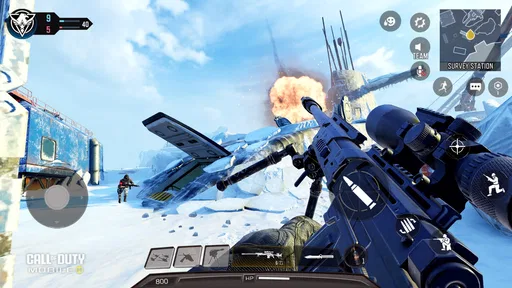
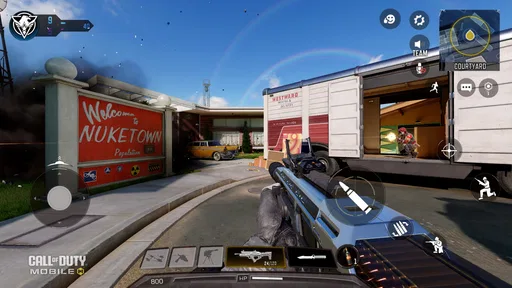
When I first booted up Call of Duty®: Mobile, I was hit with a rush of nostalgia. The game offers a rich library of maps and modes, pulling from across the series' storied history. Whether you're a fan of the frantic pace of Nuketown or the strategic depth of Hijacked, there's something here for everyone. The controls are surprisingly intuitive for a mobile game, with options to customize your setup to fit your playstyle. I found myself quickly adapting, and before long, I was pulling off headshots like it was 2009 all over again.
For me, the most useful choice is not simply which mode sounds exciting; it’s matching the mode to the time and attention I have. A short break lends itself to a compact team match, while battle royale is a better fit when I can settle in and stay focused. That makes the game more flexible than a shooter built around one kind of session, though it also means there is more to learn before every mode feels comfortable.
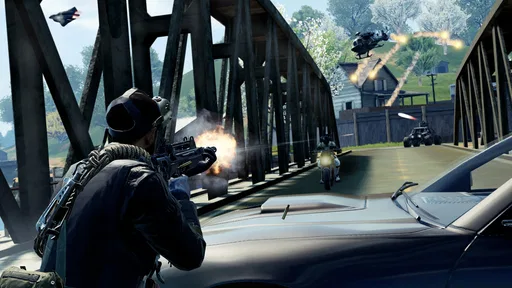
One of the most impressive aspects of the game is its diverse range of modes. You've got your classic 5v5 team deathmatches, a battle royale mode that can hold its own against the best of them, and even ranked playlists for those who crave competition. What I loved most was the seasonal content, which keeps things fresh with new maps, weapons, and character skins. It's a never-ending cycle of new content that keeps you coming back for more.
Controls, practice, and settling into a match
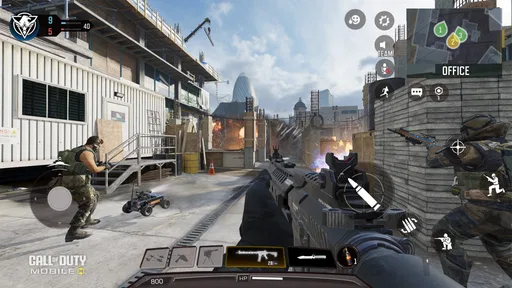
Touch controls are the first adjustment I’d expect a console or PC shooter player to notice. Even when the layout feels intuitive, aiming and movement on a flat screen call for different habits than using a controller or mouse. I recommend spending time adjusting the controls and practicing in lower-pressure matches before taking ranked play seriously. A comfortable layout matters more than copying somebody else’s settings: if the buttons make you lift your thumb from movement at the wrong moment, the setup is working against you.
One useful habit is to change only one control setting at a time, then play enough to tell whether the change actually helps. Tuning several things at once makes it hard to know what improved your aim or what made it less consistent. If you already enjoy mobile shooters, you may adapt quickly; if you mainly play on a console, give yourself room to learn rather than judging the game by the first few rounds.
Ranked playlists give players who want a clearer competitive goal somewhere to focus, but they are not the best first stop for everyone. I’d use ordinary matches to learn map routes and get comfortable with aiming before treating wins and losses as a measure of skill. That’s especially helpful if you are playing casually or returning after a break: a little warm-up can make the session more enjoyable and help you avoid turning every match into a test.
Graphics and sound
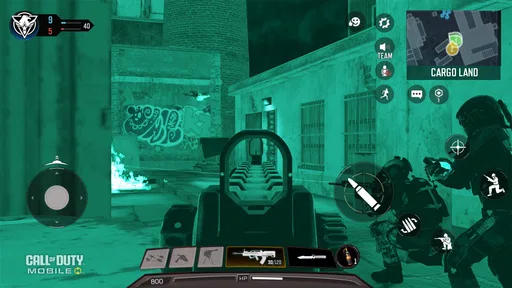
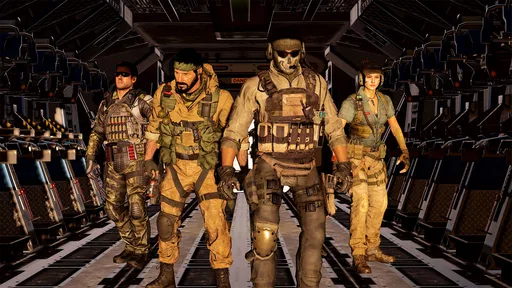
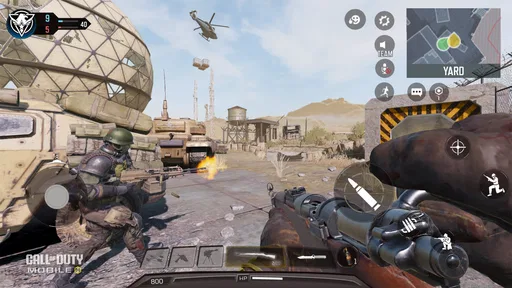
You might be wondering how a mobile game stacks up in terms of graphics. Well, let me tell you, Call of Duty®: Mobile is absolutely stunning. The visuals are crisp and detailed, with impressive lighting and textures that wouldn't look out of place on a console. I was blown away by the level of detail in each map, from the bullet casings on the ground to the individual leaves on trees. It's a feast for the eyes.
The sound design is equally top-notch. From the satisfying crack of a sniper rifle to the chaotic sounds of explosions, every audio element is finely tuned to immerse you in the action. Plug in a pair of good headphones, and you'll feel like you're in the middle of the battlefield.
There is a trade-off to that visual ambition: a busy screen can make it harder to keep track of the fight, especially when several players and effects fill the same area. I find it helpful to prioritize what makes a match readable over chasing the most impressive presentation. Headphones can also make directional audio more useful, but they are not essential if you are playing somewhere you need to stay aware of your surroundings.
Price, purchases, and what the free entry means
Okay, let's talk about the elephant in the room: in-app purchases. Like many free-to-play games, Call of Duty®: Mobile offers a variety of ways to spend your hard-earned cash. There's a battle pass system that rewards you with cosmetics and other goodies, and a store packed with skins and weapons. The good news is that the game isn't pay-to-win. Sure, you can shell out a few bucks to speed up progression or snag that sweet new operator skin, but skill and strategy will always be the deciding factors on the battlefield.
The range of optional purchases is broad enough that I’d decide on a spending limit before browsing the store, particularly if cosmetic collecting is part of the fun for you. Free access gives you a way to try the core experience without first paying, but it does not mean every desirable item is included. I would not spend just to keep up with other players’ looks; I’d spend only if an item itself is worth the cost to me and I’m comfortable with that one-off decision.
For a reader wondering whether the game is playable without purchases, my answer is that the free entry is the main reason it is easy to try. The useful question is whether the matches and progression satisfy you without chasing store items. If they do, you can leave the purchase options alone. If collecting cosmetics is central to your enjoyment, the total you choose to spend can grow, so checking each item’s price before confirming is a sensible routine.
Playing with friends and finding a community
One thing I really appreciate is how the game fosters a sense of community. You can easily team up with friends, chat in-game, and even join clans for a more organized experience. The social features are well-integrated, making it a breeze to connect with fellow players. It's not just about the game; it's about the camaraderie and teamwork that comes with it.
For an everyday example, I can picture opening the game after dinner when a friend has a little time, choosing a team match, and using voice or chat to coordinate rather than trying to plan a long gaming session. If everyone wants a longer, more tactical commitment, a battle royale match may suit the group better. The important point is that friends do not need to approach every session in the same way: choosing a mode together before queueing helps avoid the frustration of one player wanting a quick round while another expects a longer outing.
Playing with friends is also a practical way to make learning less intimidating. A teammate can help you get your bearings, while clan participation can give regular players a more organized social routine. On the other hand, if you prefer solo play or do not want to use chat, the game’s social side may add little for you. I’d treat it as an option, not a requirement for enjoying the shooting.
How it compares with other mobile shooters
Compared with mobile shooters that focus on one central format, this one’s draw is variety: familiar small-team firefights share space with battle royale and competitive playlists. That breadth is valuable if I want to change the pace without switching games. A more narrowly focused shooter may be a better fit if I want every session to revolve around one ruleset, or if I find multiple modes, menus, and progression paths distracting.
It also sits between a casual pick-up-and-play game and a more demanding competitive shooter. The familiar match structure makes it approachable, but touch aiming, map knowledge, and ranked pressure reward practice. I wouldn’t recommend judging its depth by a single casual round, nor would I assume that every player needs to pursue ranked play. The best alternative depends on what you value: a simpler game for low-effort sessions, or a dedicated competitive title if you want to focus on one format and master it.
Device fit, age rating, and who should skip it
The game is rated Mature 17+, so I would not treat it as a general recommendation for younger players. Its action-heavy military setting is part of the experience, and parents should consider that rating when deciding whether it is appropriate. It is also a poor match for someone who wants a quiet, story-led game or dislikes direct competition; the central appeal is facing other players in fast, active shooter matches.
Call of Duty®: Mobile requires Android 7.0 or later and is currently at version 1.0.55. Before installing, I’d check that the device meets the operating-system requirement and that there is enough room for a substantial game, then make sure I have a stable connection for online play. The game has attracted over 100 million installs and an average rating of 4.3 from around 17 million ratings, which shows broad interest, but those figures cannot tell you whether its controls or competitive pace will suit your own habits.
For anyone asking whether to try it first or commit to purchases, I’d start with the free download and play enough to test the controls, modes, and social experience. Its release date was September 30, 2019, and it remains an established mobile shooter rather than a new experiment. That longevity can make it appealing if you want a familiar multiplayer game to return to, but a player who wants a completely fresh concept may be better served elsewhere.
Updates and the shape of long-term play
The developers have also done a solid job of listening to player feedback. Regular updates and patches address bugs and balance issues, showing a commitment to maintaining a healthy game environment. It's refreshing to see a mobile game where the creators genuinely care about the player experience.
Frequent new content can be a reason to return, but it can also create a sense that there is always something else to unlock or learn. I find it healthier to choose a personal goal for a session—practice a weapon, play with friends, or try a mode—rather than treating every new item as an obligation. That keeps the game’s variety enjoyable instead of turning it into a checklist.
One more practical trade-off is attention: this is a game I’d choose when I can concentrate, not when I need to keep stopping every few seconds. Interruptions are particularly unwelcome in a team match, where your actions affect other players, and a longer battle royale session calls for an uninterrupted stretch. If your free time is unpredictable, short matches are the safer choice; if even those feel too demanding, a pause-friendly single-player game will suit you better.
Final thoughts
In the end, Call of Duty®: Mobile is a masterclass in how to bring a beloved franchise to mobile devices without losing any of the magic that made it special. Whether you're a longtime fan of the series or just looking for a high-quality shooter on the go, this game delivers in spades. It's got the looks, the gameplay, and the community to keep you hooked for the long haul. So, gear up, soldier, and I'll see you on the battlefield!
My recommendation is strongest for players who want a free way into a well-established mobile action shooter, enjoy switching between match styles, and are happy to improve through practice. I’d skip it if you dislike touch controls, competitive multiplayer, mature-rated action, or optional purchase prompts. The free entry makes trying it straightforward, but the real value is personal: if the matches keep you entertained without spending, it can be a satisfying regular game; if you feel pushed to buy items to enjoy it, it is better to walk away.
Privacy and Permissions
See what permissions an app requests and how it handles your data.
- Photos/Media/Files
- read the contents of your USB storage, modify or delete the contents of your USB storage
- Storage
- read the contents of your USB storage, modify or delete the contents of your USB storage
- Microphone
- record audio
- Wi-Fi connection information
- view Wi-Fi connections
- Other
- view network connections, pair with Bluetooth devices, access Bluetooth settings, change network connectivity, full network access, change your audio settings, run at startup, control vibration, prevent device from sleeping
How Call of Duty®: Mobile Compares
Full ComparisonChoose Free Fire for quick, accessible matches, PUBG MOBILE for large-scale battle royale and realistic environments, or Call of Duty: Mobile for varied modes and iconic maps.
| App | Developer | Rating | Price |
|---|---|---|---|
 Free Fire: 9th Anniversary | GARENA INTERNATIONAL I | 4.4 | Free |
 PUBG MOBILE | Level Infinite | 4.3 | Free |
 Call of Duty®: MobileThis App | Activision Publishing, Inc. | 4.3 | Free |
Verdict
Strengths of Call of Duty®: Mobile
- Stunning graphics enhance gameplay.
- Variety of modes keeps it engaging.
- Regular updates with new content.
- Customizable controls for precision.
- Multiplayer matches are fast-paced.
Limitations of Call of Duty®: Mobile
- Large file size takes up storage.
- Requires a stable internet connection.
- In-app purchases can be costly.
- Occasional matchmaking imbalances.
- Battery drain is quite significant.
Similar Picks in This Category
View All
Temple Run 2: Endless Escape
Imangi Studios4.1

PUBG MOBILE
Level Infinite4.3

Free Fire: 9th Anniversary
GARENA INTERNATIONAL I4.4

Talking Tom: Hero Dash Run
Outfit7 Limited4.3

slither.io
Lowtech Studios3.9

Sniper 3D:Gun Shooting Games
Wildlife Studios4.6
Frequently Asked Questions
What devices are compatible with Call of Duty®: Mobile?
Call of Duty®: Mobile is compatible with a wide range of Android and iOS devices. For Android, it generally requires a device with at least 2GB of RAM and running on Android 5.1 or higher. For iOS, the game runs on iPhones and iPads with iOS 9.0 or later. It's always best to check the app store for specific device compatibility.
Is an internet connection required to play Call of Duty®: Mobile?
Yes, an internet connection is required to play Call of Duty®: Mobile. The game is primarily an online multiplayer experience, offering modes like Team Deathmatch, Battle Royale, and Zombies. A stable internet connection ensures smooth gameplay and access to all features, including updates and events.
Are there in-app purchases in Call of Duty®: Mobile?
Call of Duty®: Mobile is free to download and play, but it does offer in-app purchases. Players can buy COD Points, which are used to purchase items such as weapon skins, characters, and Battle Passes. While these purchases can enhance the gaming experience, they are optional, and players can enjoy the game without spending money.
How does Call of Duty®: Mobile handle player security and privacy?
Call of Duty®: Mobile takes player security and privacy seriously. The game uses secure login methods, including Facebook and Call of Duty accounts, to protect personal information. Additionally, it follows strict privacy policies to safeguard data. Players are encouraged to use strong passwords and be cautious about sharing personal information.
What are the main features of Call of Duty®: Mobile?
Call of Duty®: Mobile offers a rich set of features, including classic multiplayer modes like Frontline and Domination, and a 100-player Battle Royale mode. The game includes customizable controls, voice and text chat, and stunning graphics. Regular updates introduce new maps, characters, and seasonal events to keep the gameplay fresh and engaging.
Play our best games!


